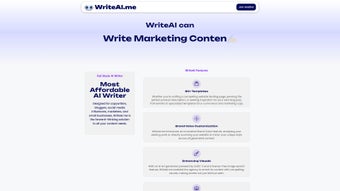

Download WriteAI me – AI‑Powered Content Creation Tool
Overview
WriteAI.me is a cloud‑based, AI‑driven writing assistant that simplifies the creation of marketing copy, advertisements, professional emails, blog posts, and a variety of other text‑heavy assets. By feeding the platform a brief description of the desired output, users receive instantly generated drafts that are not only contextually relevant but also tailored to the specific tone and brand voice they have defined. The service is built on cutting‑edge natural language processing models, which means the content is original, free from plagiarism, and ready for immediate publication after minimal editing.
Whether you are a solo entrepreneur looking to speed up newsletter creation, a marketing team tasked with producing dozens of ad variations, or a developer needing placeholder copy, WriteAI.me adapts to the workflow and delivers consistent, high‑quality results. Its intuitive web interface eliminates the steep learning curve often associated with AI tools, allowing even non‑technical users to start generating meaningful copy within minutes. While the platform currently supports only English and requires an internet connection, its robust feature set and focus on brand consistency make it a compelling addition to any content‑creation toolbox.
Features, Installation & Compatibility
Core Features
- AI‑generated copy for ads, emails, blog posts, and social media.
- Brand‑tone customization that aligns output with your unique voice.
- Plagiarism‑free content guarantee powered by advanced similarity checks.
- One‑click export to popular formats (PDF, DOCX, HTML).
- Real‑time content suggestions and sentence‑level edits.
- Template library with pre‑built structures for common use‑cases.
- Collaboration mode for teams to share drafts and feedback.
Installation & Quick‑Start Guide
Because WriteAI.me is a web application, there is no traditional installation process. Follow these simple steps to get started:
- Visit writeai.me and click the “Sign Up” button.
- Create an account using your email address or a social login (Google/LinkedIn).
- Verify your email if prompted, then log in to the dashboard.
- Navigate to the “New Project” tab, select the content type you need, and fill in the brief (topic, audience, tone).
- Press “Generate” and watch the AI produce a draft within seconds.
- Review, edit, and export the final version using the built‑in editor.
The platform runs entirely in the browser, so updates and new model releases are applied automatically—no manual patching is required.
Compatibility
WriteAI.me is designed for maximum accessibility:
- Operating System: Web‑based (compatible with Windows, macOS, Linux, ChromeOS)
- Supported Browsers: Latest versions of Chrome, Edge, Firefox, and Safari.
- Mobile Access: Responsive design works on Android and iOS browsers.
Pros, Cons & Frequently Asked Questions
Pros
- Fast generation of high‑quality, plagiarism‑free content.
- Intuitive UI suitable for beginners and seasoned marketers alike.
- Robust brand‑tone customization that preserves voice consistency.
- Free tier available with generous monthly word limits.
- Automatic updates ensure you always use the latest AI models.
Cons
- No multilingual support – currently English‑only.
- Requires an active internet connection; offline usage is unavailable.
- Advanced features (e.g., API access) are locked behind paid plans.
- Limited export formats compared with some desktop editors.
Frequently Asked Questions
Is WriteAI.me free to use?
WriteAI.me offers a free tier that includes up to 10,000 words per month, making it ideal for small projects or trial usage. Premium plans unlock higher limits, API access, and additional templates.
Can I integrate WriteAI.me with my existing CMS?
While there is no native plugin yet, the platform provides export options (HTML, Markdown, DOCX) that can be easily imported into most content management systems.
How does WriteAI.me ensure the content is plagiarism‑free?
The service runs each generated draft through a proprietary similarity engine that checks against billions of web pages, guaranteeing original output before it reaches your inbox.
Is there a way to train the AI on my own brand guidelines?
Yes. Premium subscribers can upload style guides or provide sample texts, allowing the model to better mimic your specific voice and terminology.
What browsers are officially supported?
WriteAI.me works flawlessly on the latest versions of Chrome, Edge, Firefox, and Safari. Mobile browsers on Android and iOS are also fully supported.
WriteAI.me delivers a solid balance of speed, quality, and ease‑of‑use for English‑only content creation. The brand‑tone controls and template library are standout features, though the lack of multilingual output and offline mode keep it from achieving a perfect score.
Conclusion & Call to Action
In a landscape where content velocity often determines marketing success, WriteAI.me provides a reliable, AI‑enhanced shortcut that doesn’t sacrifice originality or brand consistency. Its web‑first design ensures you can start writing from any device, and the free tier makes it accessible to freelancers, startups, and larger teams alike. While the current English‑only limitation may be a deal‑breaker for global agencies, the roadmap promises multilingual expansion in upcoming releases. For anyone seeking a secure, regularly updated tool that streamlines copy creation without a steep learning curve, WriteAI.me is a worthy addition to your digital arsenal.
Ready to boost your productivity and elevate your brand voice? Sign up for a free account today and experience AI‑generated content that truly works for you.



.png)



